Tutorial 5 - Ultrasonic Sensor
Introduction
The Ultrasonic Sensor Module is a non-contact distance measurement module that uses ultrasonic waves to detect the distance between the module and an object. It is commonly used in robotics, automation, and obstacle avoidance projects.
Components Needed
| Component | Quantity |
|---|---|
| Raspberry Pi 5 | 1 |
| Breadboard | 1 |
| Wires | Several |
| HC-SR04 Ultrasonic Module | 1 |
| T-extension Board | 1 |
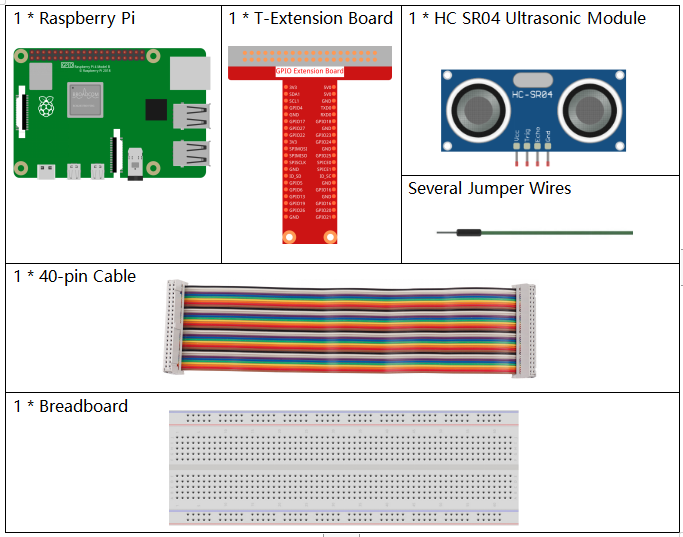
Image credit: SunFounder
Fritzing Diagram
Connect the ultrasonic sensor to your Raspberry Pi as shown in the following diagram.
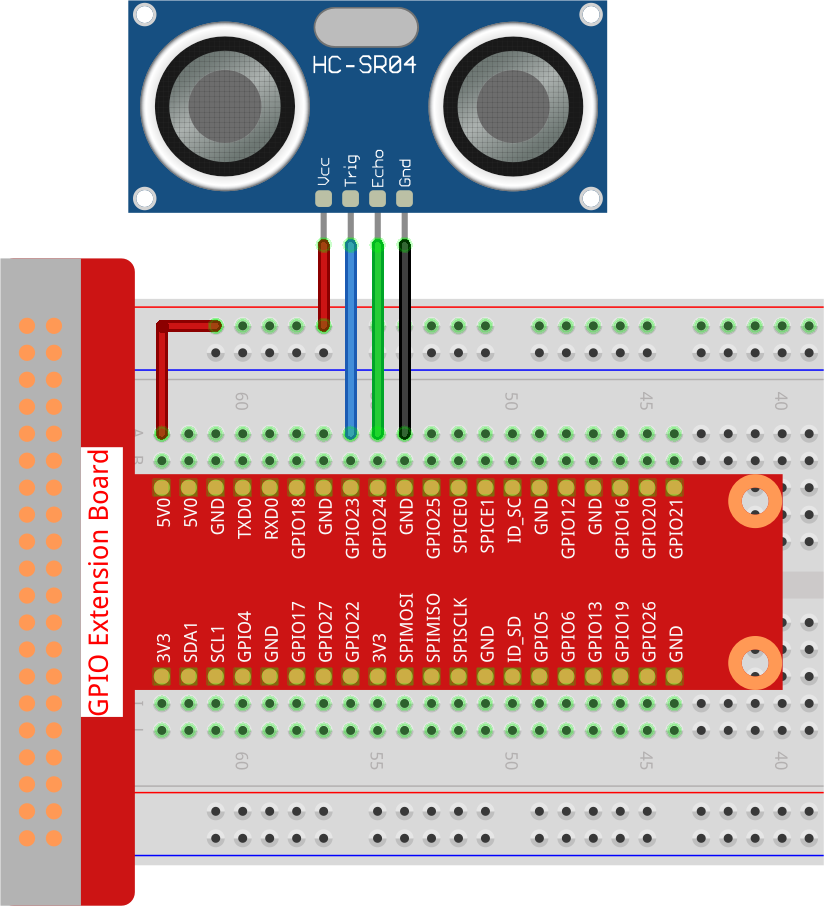
Image credit: SunFounder
Code
from gpiozero import DistanceSensor
from time import sleep

# Initialize the DistanceSensor with specified GPIO pins
sensor = DistanceSensor(echo=24, trigger=23)

# Main loop to continuously measure and report distance
while True:
    distance_cm = sensor.distance * 100
    print('Distance: {:.2f} cm'.format(distance_cm))
    sleep(0.3)
Code Explanation
from gpiozero import DistanceSensor
from time import sleep
These imports bring in the sensor helper class and the sleep function.
sensor = DistanceSensor(echo=24, trigger=23)
This initializes the ultrasonic sensor using GPIO 24 for the echo pin and GPIO 23 for the trigger pin.
distance_cm = sensor.distance * 100
sensor.distance returns the measured value in meters, so multiplying by 100 converts it to centimeters.
print('Distance: {:.2f} cm'.format(distance_cm))
This prints the measured distance with two decimal places.
sleep(0.3)
The short delay slows the loop slightly so the program does not flood the terminal with readings.
Conclusion
This is a simple starting point for real-time distance measurement with an HC-SR04 sensor on Raspberry Pi.